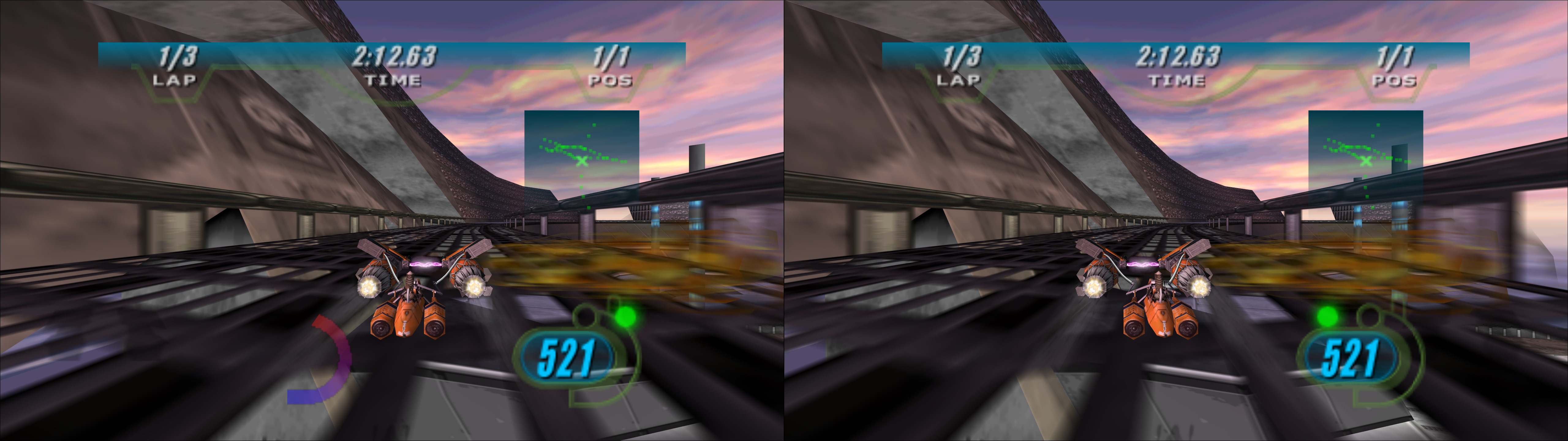
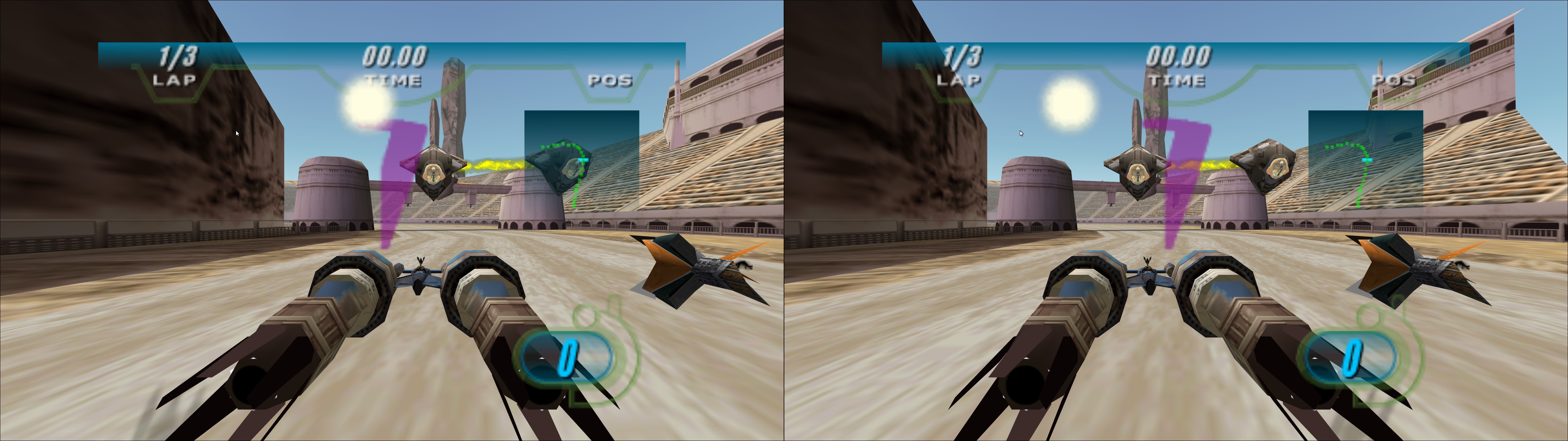
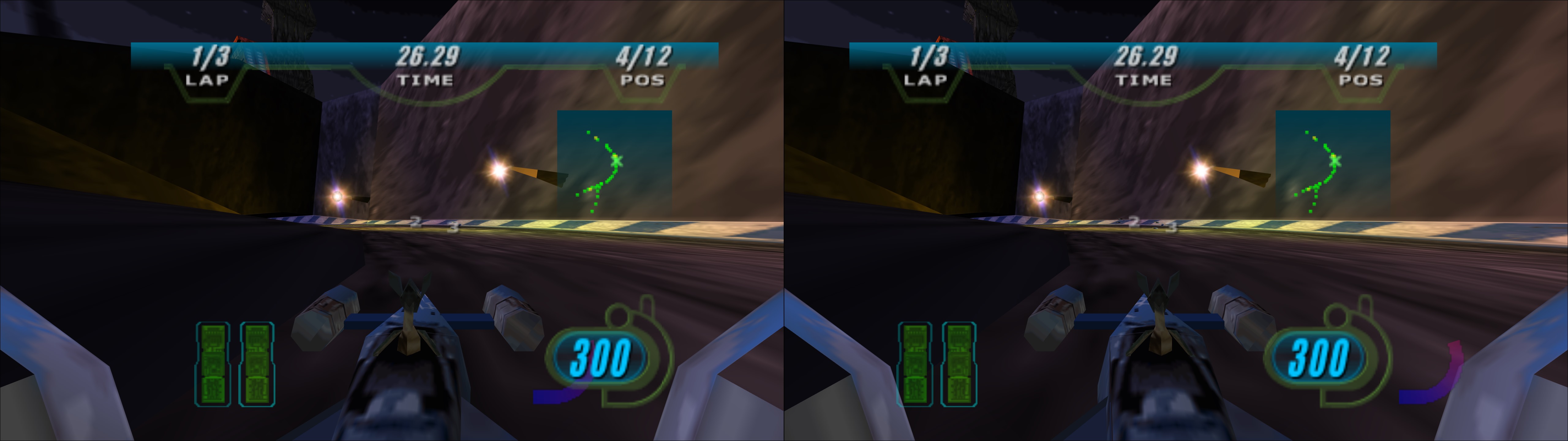
3D Vision and geo-11 fix for Star Wars Episode I: Racer (GOG release). It includes an aspect ratio mod that I did via shaders. The fix needs dgVoodoo to convert the game to DX11. There are some unavoidable compromises with the fix related to the HUD and geometry.
added geo-11 fix. Read the differences below.
Fixed
- Most of the HUD at fixed depth (see the notes after the installation steps).
- Fixed "layer" was making 3D broken at high convergence levels.
- Sun and lens flares now at full depth.
Remaining issues
- Shadows are unfixed. They seem to not have depth information, and even if they had it, they still share their texture hashes with other geometry (I tried to do a manual approximation and it backfired).
- By default I have left the boost meter at a non fixed depth to not compromise geometry. You can probably still see it with one eye somewhere on the screen. If you want to fix the meter, open "d3dx.ini" and uncomment the "[TextureOverrideHUD3]" line and the two lines below it.
- Some slight geometry accuracies (affecting a few textures) had to be made to fix the HUD. See the notes below the installation steps.
-
WARNING: trying to enable SBS/TAB/interlaced modes will crash the game, even if you configure the mode beforehand. You have to play with normal 3D Vision unless you find (and hopefully share) a way to make it work.
Installation
- First configure the game resolution the normal way. I recommend the default 640x480 for better CPU performance and full size videos.
- Download
this file and extract its contents in the "STAR WARS Racer" folder, where "SWEP1RCR.EXE" is.
- Download the latest dgVoodoo 2 release or WIP version (
at least 2.55.1 version) here:
http://dege.freeweb.hu/dgVoodoo2/dgVoodoo2.html
- From inside its "MS" folder, copy "D3D8.dll", "D3DImm.dll" and "DDraw.dll" into the game folder. The GOG release of this game comes with a "ddraw.dll" that makes the game DX9, so rename it to something else if you don't want to lose it.
- Open "dgVoodooCpl.exe" and configure it like this, for example, tuning the resolution and some other settings to your liking:
- It's important that you enable "
Fast video memory access" to remove a big CPU bottleneck.
- Open "
dgVoodoo.conf" and set "
DepthBuffersBitDepth" to "
force32bit" to have the best geometry accuracy, avoiding the annoying "z fighting" problem.
- Boot the game directly from "SWEP1RCR.EXE", making sure you have admin rights to save the game profile changes it makes the first time. If I launch it from GOG Galaxy it doesn't trigger 3D Vision.
HUD and geometry compromises
The problem of this game is that it has just a handful of texture hashes shared between geometry, shadows, lens flares and HUD. Even with a very narrow depth check (to see if it's exactly 0, for the HUD), it can still affect geometry. I tried to give the game the best balance between these things, but you can change how it's configured (experienced users only).
Open "d3dx.ini" and go to line 996, right before "[TextureOverrideHUD1]". Take a look at those blocks of text until line 1047. By default, I made the game unstereoize (i.e. put at screen depth) everything that has zero depth. Blocks that contain "filter_index=2" will avoid this and in some cases affect the HUD (other times it has no drawbacks). The block I have with "filter_index=1" is the lens flares and sun fix, putting the effect at full depth.
For example, if you want to fix the boost meter, comment the "[TextureOverrideHUD3]" block. But some geometry will have wrong depth.
For a quick general change to disable all HUD fixes in real time (but make the HUD convergence dependant), press the "4" hotkey.
Hotkeys (numbers are not from the numpad)
-
1: five convergence presets .
-
2: HUD depth presets. Screen depth by default, and tweaked for the HUD inside races.
-
3: HUD toggle. Not disabled by default. Only HUD elements with fixed depth will be affected. Sun and lens flares (and some HUD affected by it) won't be disabled.
-
4: press this to disable all HUD tweaks, making geometry perfect (except the always unfixed shadows) at the cost of probably not seeing the HUD if you use enough convergence.
-
5: aspect ratio mod presets (4:3, 16:9, 2560x1080 AR, 3440x1440 AR, 48:9). By default 4:3 to 16:9 conversion.
-
6: Y axis FOV unlock toggle. Use it alongside the "5" key to configure the zoom level. By default it assumes you are using a 16:9 resolution.
-
7: Y axis FOV multiplier, to use alongside the "5" and "6" keys. Use it to change aspect ratio at the same time as using zoom.
Aspect ratio mod
Use the 5, 6 and 7 hotkeys to change settings in real time.
In "d3dx.ini", line 94, there is a line that says "w=0.75". That's the X axis FOV. By default I assume you are using a 16:9 resolution, so "0.75" will unstretch the game, as you see in the screenshots above. The HUD is centered and unstretched too. The drawback of this mod is that there is some geometry culling, especially if you use higher than 16:9 aspect ratio. Also, the HUD will change its size accordingly. Extreme example of the max level of zoom I allow:
screenshot.
Recommended settings
- In the "Video Settings" launcher (from GOG Galaxy or the "-v" command in a shortcut), use 640x480 resolution.
- Someone
here posted better settings that can't be accessed ingame:
"Go to:
x:\GOG Folder\STAR WARS Racer\data\config\current
Open video.cfg with Notepad++ or similar and change the settings to enable max settings:
VIDEO REFLECTIONS=ON
VIDEO ZEFFECTS=ON
VIDEO DYNAMIC_LIGHTING=ON
VIDEO VSYNC=ON
VIDEO LENSFLARE=ON
VIDEO ENGINEEXHAUST=ON
VIDEO TEXTURE_RES=3
VIDEO MODEL_DETAIL=3
VIDEO DRAWDISTANCE=3 "
- Use Nvidia Profile Inspector to force 8xSGSSAA or 4xSGSSAA if your GPU can handle it. It will reduce texture shimmering a lot.
If you liked the fix and want to contribute for more future fixes, you can donate to this PayPal account:
masterotakusuko@gmail.com